Icons, Images & Keys
Icons
Material for MkDocs is bundled with thousands of icons. Icon names can be found via the Material for MkDocs Icon Search page and include Icons of the following repositories:
To use an Icon include the Icon name enclosed by colons (:). Icons can be included anywhere in Markdown including in Tables.
| Syntax | Result |
|---|---|
| :fontawesome-brands-markdown: Markdown | Markdown |
| :octicons-git-commit-16: Git Commit | Git Commit |
| :material-docker: Docker | Docker |
| :simple-kubernetes: Kubernetes | Kubernetes |
Images
Images can be included in documents. To add an Image, add an exclamation mark (!), followed by alt text in brackets ([]), and the path or URL to the image asset in parentheses (()). Optionally a style attribute can be added ({: style="width:50px"})) to scale the size of the Image.
| Syntax | Result |
|---|---|
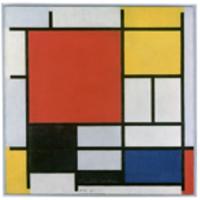 |  |
{: style="width:50px"} | |
Keys
Use Keys to include instructions one keyboard key presses in the document. Key names can be found via the PyMdown Keys Extensions page. To include a Key press, or a combination of Key presses, enclose the Key press with a double plus symbol (++) and separate keys by a single plus symbol (+).
Example:
| Syntax | Result |
|---|---|
++ctrl+alt+del++ | Ctrl+Alt+Del |
++cmd+control+option++ | Cmd+Ctrl+Option |
++cmd+a++ | Cmd+A |